
[3 AI Tools, 0 Coding Skills: How I Created a Deep-Dive Developer Guide on WebGPU and On-Device AI]
Analyze with AI
Get AI-powered insights from this Mad Devs tech article:
The task arrived on an ordinary working day: could we prepare a technical article for frontend and full-stack developers on running AI models locally in the browser using WebGPU and WebAssembly?
In essence, the piece was supposed to explain how AI inference can happen directly in the browser, using WebGPU for hardware acceleration and WebAssembly for efficient execution. That sounds neat in one sentence. In practice, it opened the door to a much more technical world than I usually work in.
I am a copywriter. I have been writing about software for years, but I don't write software. I know enough to hold a conversation with an engineer without embarrassing myself, but WebGPU was not on my radar, and WASM was something I vaguely associated with "compiled stuff that runs fast." This article's format assumed a reader who knew the difference between a compute shader and a fragment shader. I was not that reader.
This is the story of what happened next, and a fairly honest account of what worked, what didn't, and what I'd do differently.
The task, the panic, and the decision not to outsource it
The first instinct when you receive a technical assignment you're not equipped for is to find someone who is. Hand it to a developer. Ask an engineer to write a draft. Let the subject-matter experts handle it.
That's not the direction Mad Devs is moving. The company has made a clear internal commitment: AI is a tool everyone should be able to use, not just developers or data scientists. That's not a slogan on a wall. It's the actual operational expectation. So passing the brief to a developer wasn't the point. The point was to figure out whether a non-technical person, with the right tools and enough patience, could produce something that developers would actually find useful.
I decided to find out. The topic had a clear internal logic: start with why the browser needed a new GPU model at all, move through the architecture that makes it possible, then into the practical implementation, and finally, the production-level edge cases. That sequence determined the structure. Each section assumed technical knowledge I didn't have. Fine. I'd build it from scratch, with help.
Phase one: Claude as a thinking partner
I didn't open Claude and type "write me an article about WebGPU." That approach produces content that sounds like an article about WebGPU without actually being useful to anyone who needs to understand WebGPU.
Instead, I started with the most basic question I could ask without feeling embarrassed: What is WebGPU actually doing differently from what existed before?
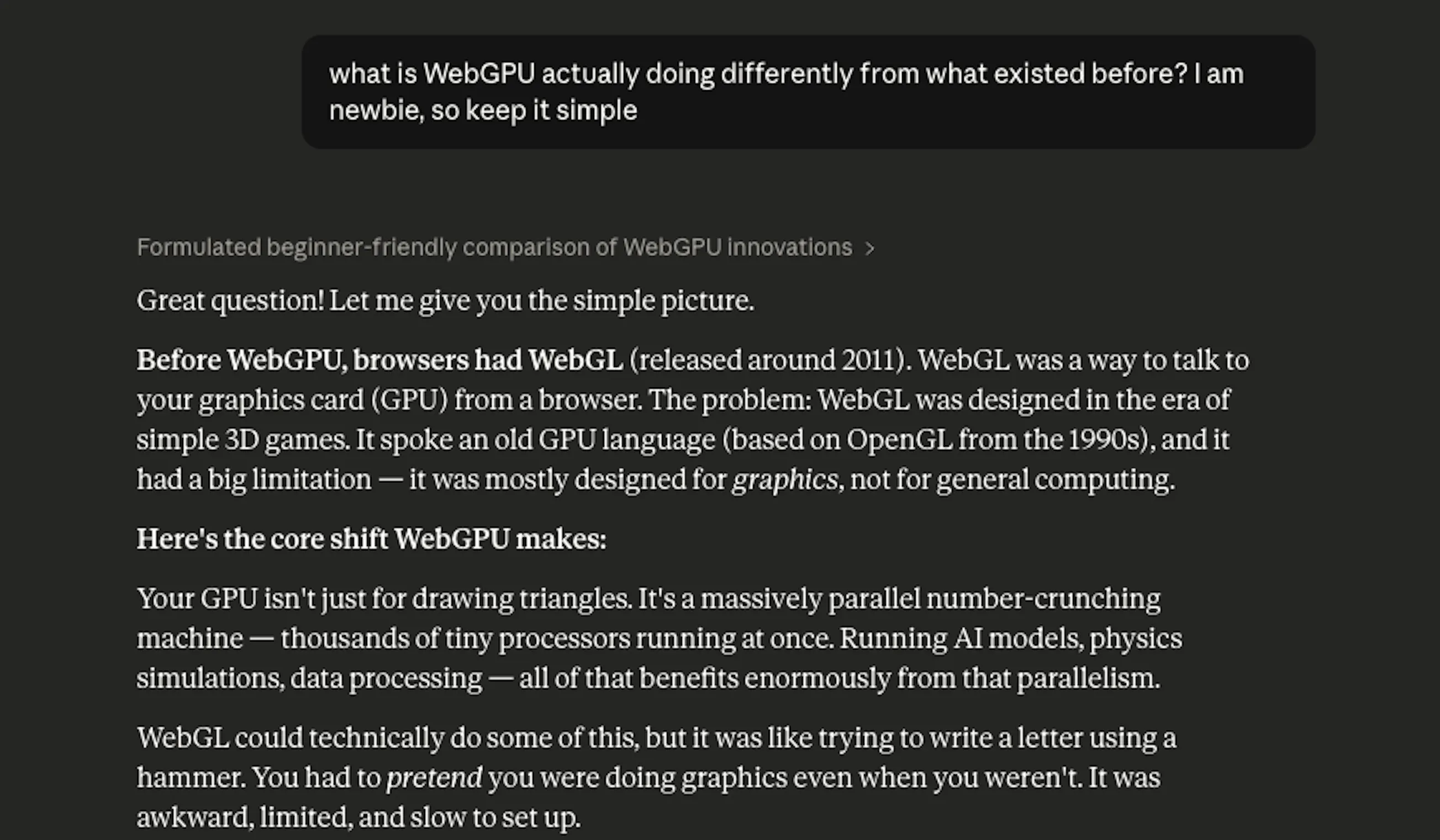
The conversation that followed took about two hours and covered more ground than I expected. Not because Claude gave me a lecture, but because I kept asking "why does that matter" and "what would break if this didn't exist." That's the mode that worked: genuine curiosity, not prompt engineering.
What I was effectively doing was using Claude as a very patient senior developer who had unlimited time to explain things to a junior, non-technical colleague. The framing mattered. When I asked, "Explain WebGPU," I got an encyclopedia entry. When I asked, "Why would a frontend developer care about the difference between a compute shader and a fragment shader, specifically for ML," I got something I could actually use.
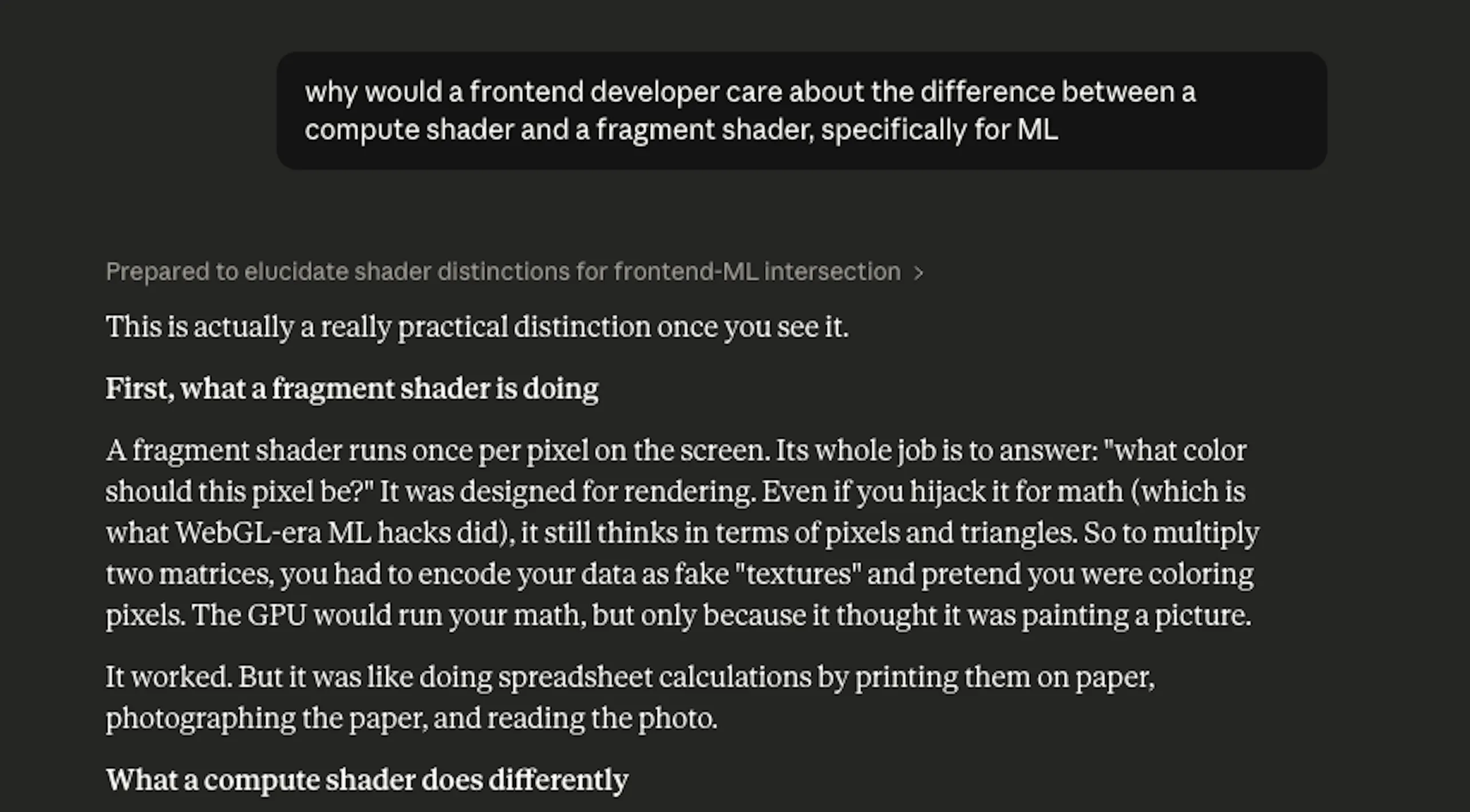
The mental model I ended up with: WebGL was built for graphics. It's a rendering pipeline. You send it geometry, and it draws pictures. WebGPU was built as a general compute interface – it can render, but it can also run arbitrary parallel computation, which is exactly what neural network inference requires. WebGL was never designed for matrix multiplication at scale. WebGPU was.
Once I had that mental model clear, the rest of the article's logic followed naturally.
Where Claude was genuinely useful:
- Building initial understanding from first principles
- Suggesting structural logic (what to explain before what)
- Drafting code snippets – though these required verification
- Catching gaps in reasoning when I'd describe what I wanted a section to do and ask if the approach made sense
Where Claude was not reliable:
Claude occasionally generated code that looked correct but wasn't. Not dramatically wrong – no syntax errors, nothing obviously broken – but subtly outdated. The most memorable instance: the write-up needed a WebGPU detection utility. Claude's first draft used adapter.requestAdapterInfo(), which is a method that was removed from the spec. Current implementations use a synchronous adapter.info property instead. The code would have compiled. It would have failed in any browser that follows the current spec.
I learned to treat Claude-generated code as a first draft that needed external verification, not a final answer.
Phase two: ChatGPT for cross-checking
After Claude produced the draft, I ran it through ChatGPT – not to generate a different version, but specifically to stress-test the technical content. The question I was effectively asking: what's wrong with this?
ChatGPT gave a verdict. "Valid manual, but not fully production-safe as-is." Then four specific problems:
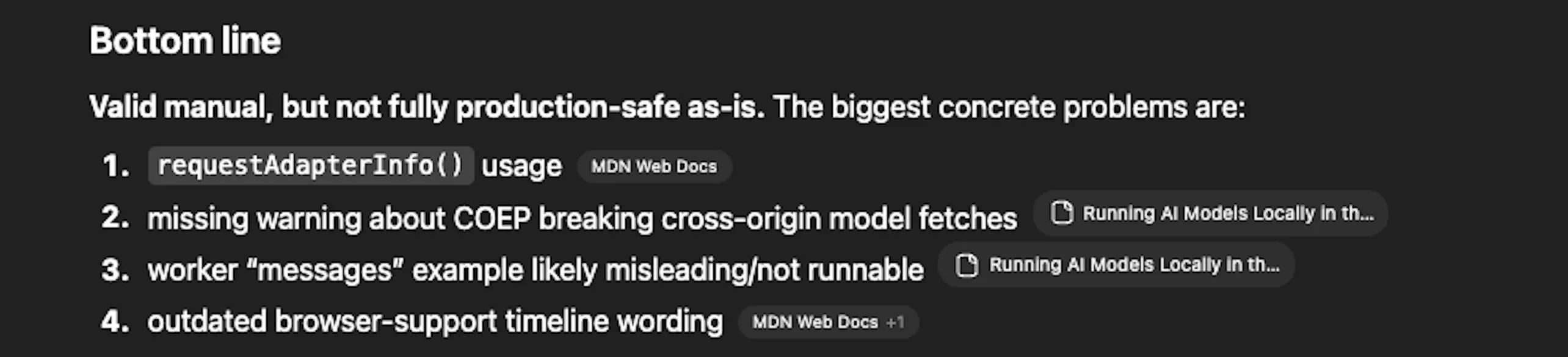
1. requestAdapterInfo() usage. The detection utility used an API method that had been removed from the WebGPU spec. Current browser implementations use adapter.info as a synchronous property. The old method would compile without errors and fail silently at runtime – exactly the kind of bug that's hard to spot if you don't know what you're looking for.
2. Missing warning about COEP breaking cross-origin model downloads. The section on Cross-Origin Isolation explained the headers correctly, but didn't flag a consequence that bites people in production: with Cross-Origin-Embedder-Policy:require-corp active, the browser blocks cross-origin resources that don't include compatible CORS/CORP headers. That includes model weight files fetched from Hugging Face or a CDN. The practical implication – self-host model assets on your own origin – was missing entirely.
3. Worker "messages" example likely misleading/not runnable. The Web Worker code in the text generation section had structural issues that would make it fail or behave unexpectedly under real conditions.
4. Outdated browser support timeline wording. Some phrasing about when WebGPU became available in specific browsers didn't match the current documentation.
This is where the process earned its credibility. Claude had written the draft. ChatGPT, asked to audit rather than generate, found four production-level problems that the drafting process had missed. For a non-technical person, this distinction matters: using a model to challenge output is a fundamentally different task than using it to produce output, and it requires a different prompt.
Phase three: Antigravity – where theory meets the browser
With the four problems identified, I moved to Antigravity – a Google tool for technical review and analysis of web content. But here I did something I hadn't done with Claude or ChatGPT: I gave it a structured scope, not just a request.
The prompt I used:
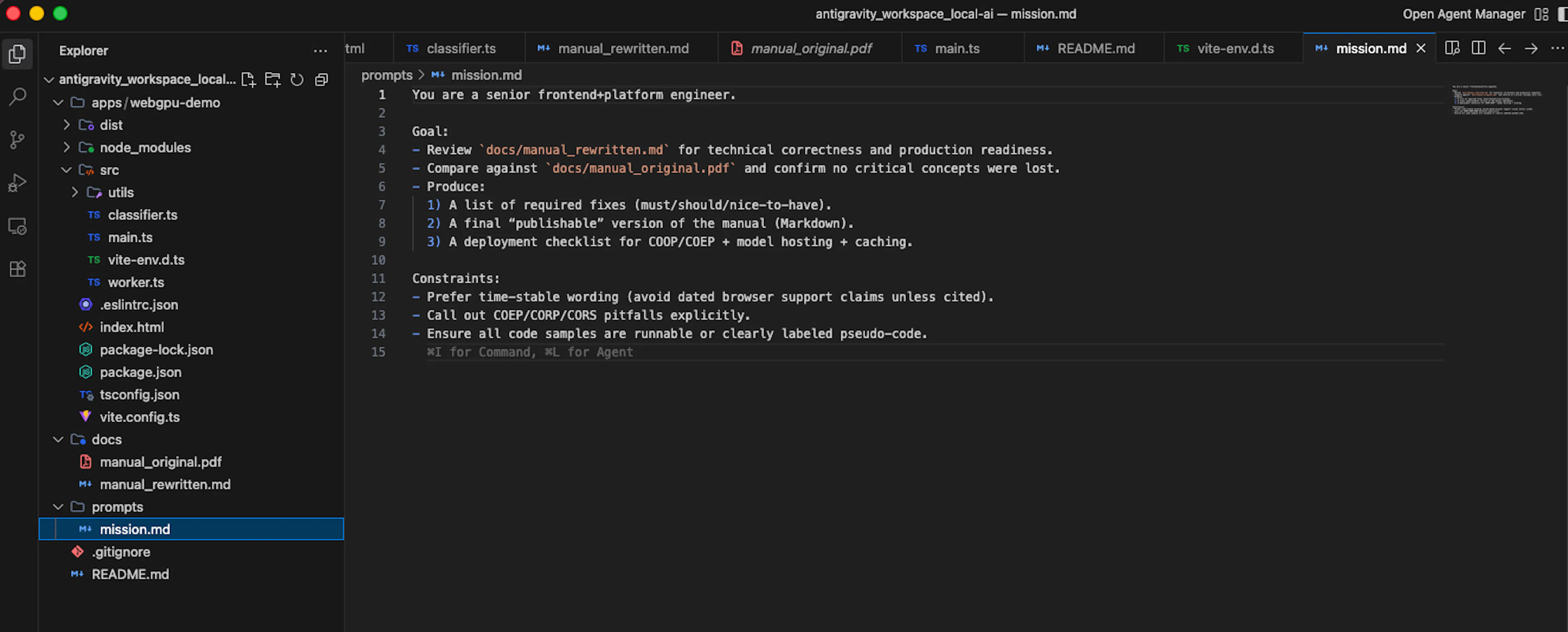
The difference between this and how I'd used Claude earlier was the constraints section. Telling the tool what to avoid – dated browser claims, pseudo-code disguised as real examples – turned out to matter as much as telling it what to produce. Antigravity returned a rewritten version of the manual with the four problems fixed, the COEP warning added, the obsolete API replaced, the worker code corrected, and a deployment checklist appended.
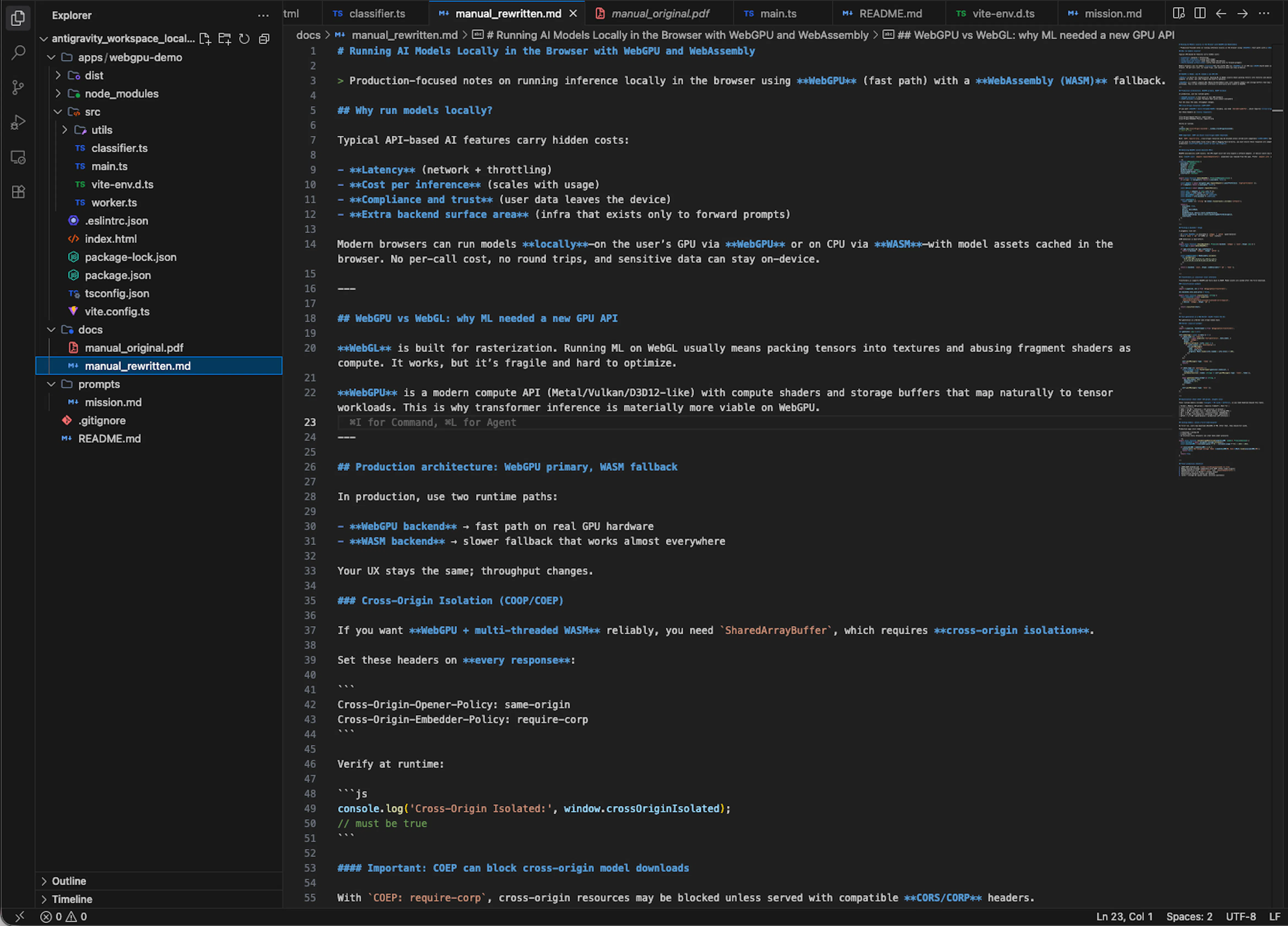
I went back through it section by section, understood what had changed and why, and incorporated those corrections into the final draft. The understanding part was not optional – if I couldn't explain the fix, I couldn't stand behind it.
The engineer review – and what actually changed
Before publication, the article went to two people: Pavel Zverev, CTO, and Anton Kozlov, System Developer. This wasn't optional polish. It was the actual quality gate.
What I noticed about the review: the engineers didn't rewrite the article. They corrected specific technical points, added nuance in a few places, and confirmed that the overall structure and framing held up. The conceptual architecture – how the sections connected, what got explained in what order – survived intact.
That surprised me slightly. I expected more fundamental corrections. What I got instead were targeted fixes: a sentence about behavior under a specific browser version that was imprecise, a note about a limitation I hadn't mentioned, and a suggestion to add the "always" flag to the Nginx configuration that I'd initially omitted.
None of those would have been caught by any AI tool. They required someone who has actually shipped this in production and knows where the edge cases hide.
The lesson I took from this: AI-assisted technical writing can get the conceptual framework right. It cannot substitute for someone who has built the thing and knows where it breaks.
The guide "Running AI Models Locally in the Browser with WebGPU and WebAssembly" is now live on the Mad Devs website with a disclosure at the top: written by a copywriter, reviewed by engineers. That transparency is part of the process, not a footnote to it.
What I learned about using AI for technical content
A few things, stated plainly:
"Write me an article about X" is the worst possible prompt. It produces content shaped like an article, not an article. The better approach is to use the tool the way you'd use a conversation: ask what you genuinely don't understand, push back on answers that feel incomplete, and ask for the reasoning behind a claim before you accept it.
Use models in sequence, with different jobs. Claude for understanding and drafting. ChatGPT for adversarial review – asked specifically to find problems, not to produce content. Antigravity for rewriting and checklisting with a structured engineering prompt. Each step catches what the previous one missed. None of them catches everything.
The prompt determines the job. When I asked ChatGPT to verify rather than generate, it found four production problems the drafting process had missed. When I gave Antigravity explicit constraints to avoid dated claims, flag CORS/COEP pitfalls, and label pseudo-code, it produced something structurally different from what a generic "review this" request would have returned. The tool is only as focused as the instructions you give it.
The engineer review is not optional. It's the quality gate that the rest of the process feeds into. AI tools get you close. Domain experts tell you where "close" isn't close enough.
Non-technical doesn't mean non-capable. It means you need a different toolkit and more time. The toolkit exists. Time is a real cost that should be planned for honestly.
If you're going to try this
A few practical notes if you're a non-technical person attempting something similar:
Start with understanding, not output. Before you ask any AI to write anything for you, ask it to explain the topic until you can describe it back in your own words. If you can't pass that test, you can't evaluate what the tool produces.
Build a verification step into your process. For code, that means actually running it. For factual claims, that means cross-referencing with documentation or a second model. For technical judgment calls, that means talking to someone who knows.
Expect the process to take longer than you think. Not because the tools are slow, but because understanding takes time, and understanding is not optional if you want the output to be accurate.
Get a domain expert review before publication. Not after. The review is part of the process, not a final checkbox.
And if your company is telling you that AI is a tool everyone should use – take that seriously enough to actually use it on something hard. That's the only way to find out what it can and can't do.